A wallet in every pocket
Prepaid credit that lives in the member's app, with the balance always in view.
Tokyo SalonMobile App + Salon System
A member app with a QR code wallet, and the counter system behind it: point of sale, top-ups, prepaid packages and a stylist appointment calendar, built for Tokyo Salon in Butterworth.
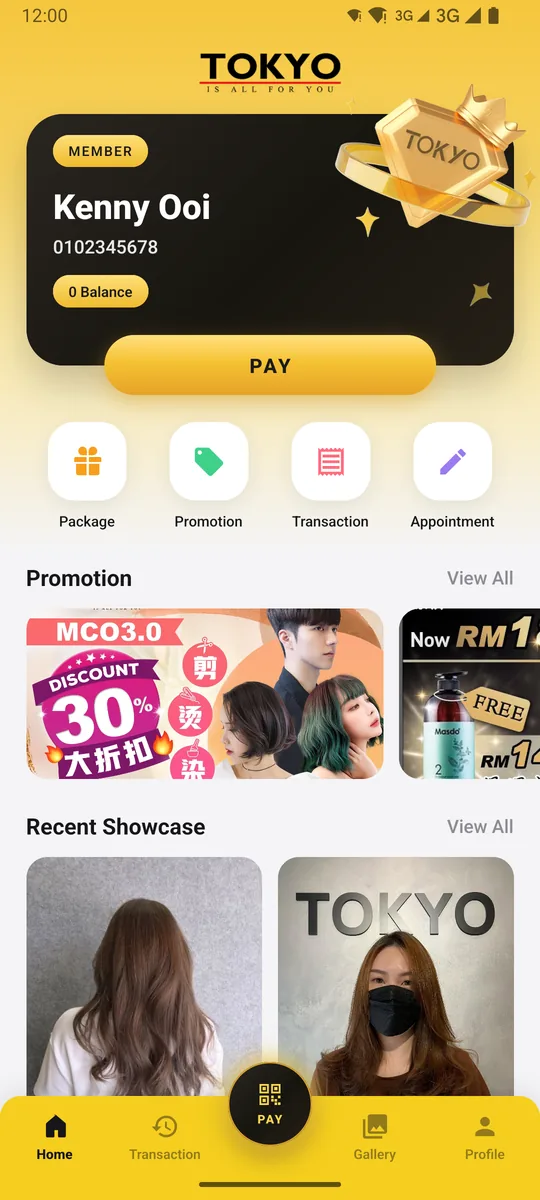
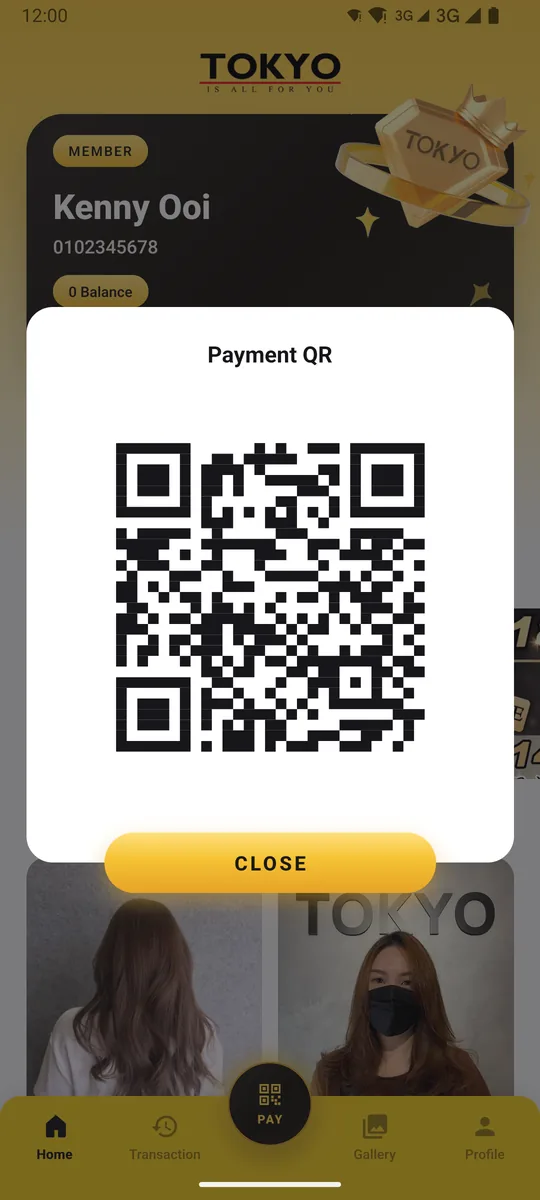
Potadot designed and built Tokyo Salon's member app and the admin portal behind it. Members carry their wallet in the app: they top up at the counter, get bonus credit on bigger top-ups, and pay by showing a QR code. At the counter, staff scan that code into a point-of-sale screen that charges services, sells and redeems prepaid packages, and records every sale. Appointments run from a calendar with a column for each stylist.
Tokyo Salon sells cuts, colours and treatments over the counter, along with prepaid credit and packages, and every stylist keeps a full diary. The brief was an app members keep on their phone, and one system at the counter that charges, tops up and books from the same records.
Prepaid credit that lives in the member's app, with the balance always in view.
One scan should bring up the member, their balance and their packages, with no searching by name.
Prepaid bundles with a set number of visits or unlimited use, an expiry date, and every visit recorded.
Who is booked with whom, and when, in one view the whole team can read at a glance.
Scroll through the screens Tokyo Salon's members use. The highlight shows what to look at on each one.
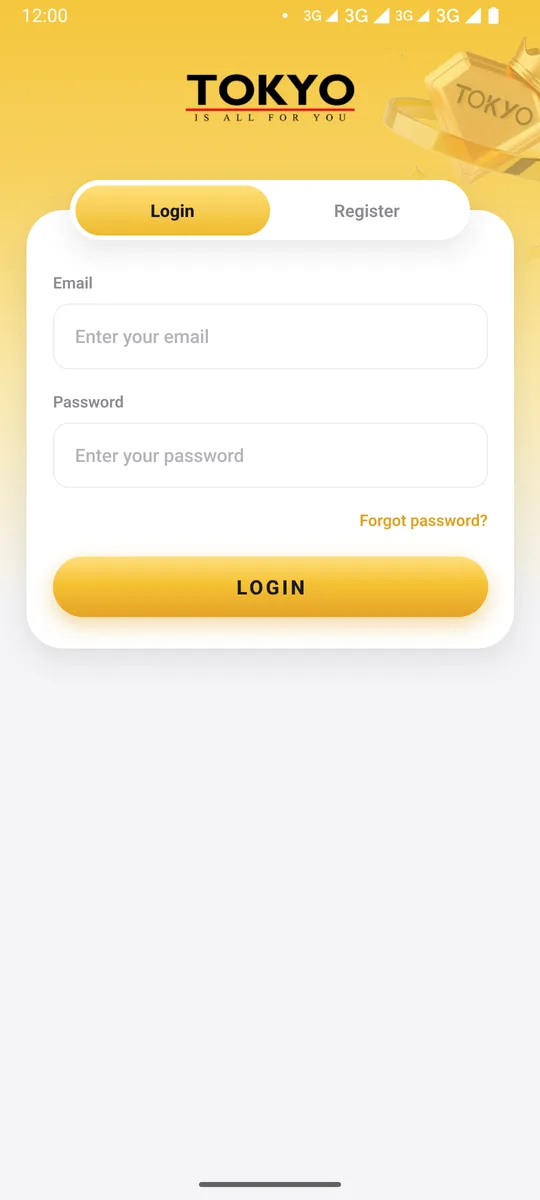
The app opens on the member's card: name, phone and wallet balance, with a large PAY button under it. Packages, promotions, purchase history and appointments are one tap away, and Appointment opens a WhatsApp chat with the salon.
PAY opens the member's payment QR. It carries their wallet ID, so the cashier scans it instead of asking for a name or a phone number, and the right account comes up every time.
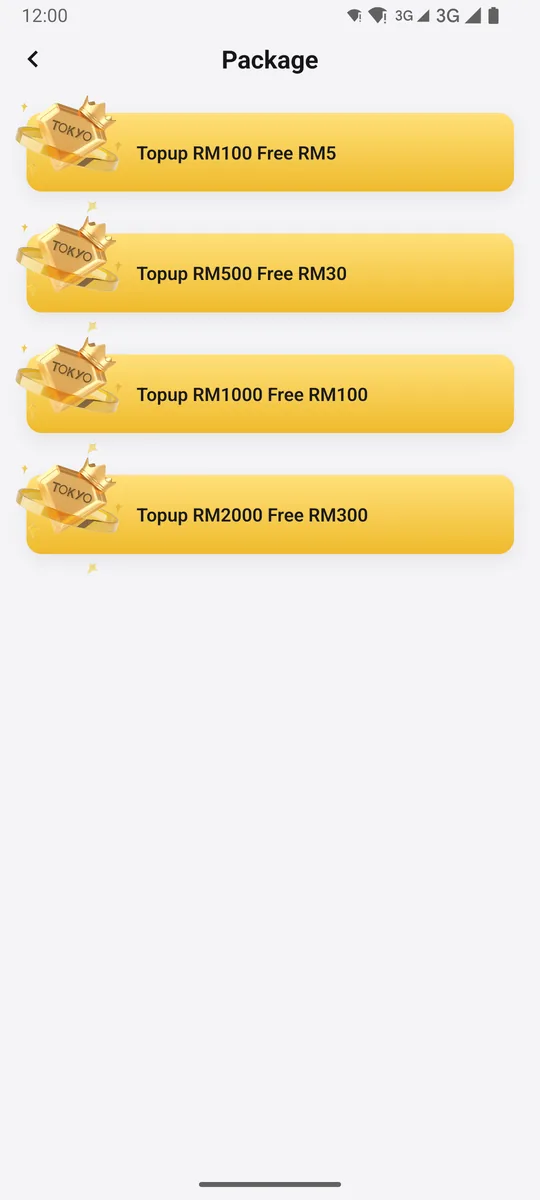
Members see the salon's top-up options in the app. The more they load, the more free credit they get: RM5 on RM100, up to RM300 on RM2,000. Staff set the options in the portal.
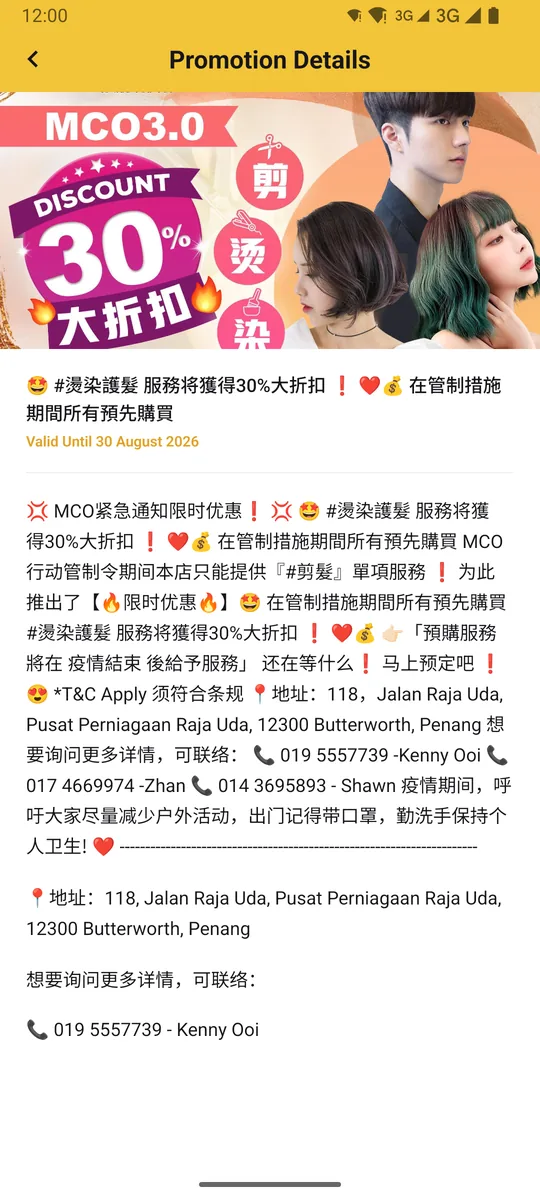
Each promotion has its artwork, full details and a valid-until date. When the salon adds one in the portal, a push notification goes out to every phone with the app, and tapping it opens the promotion.
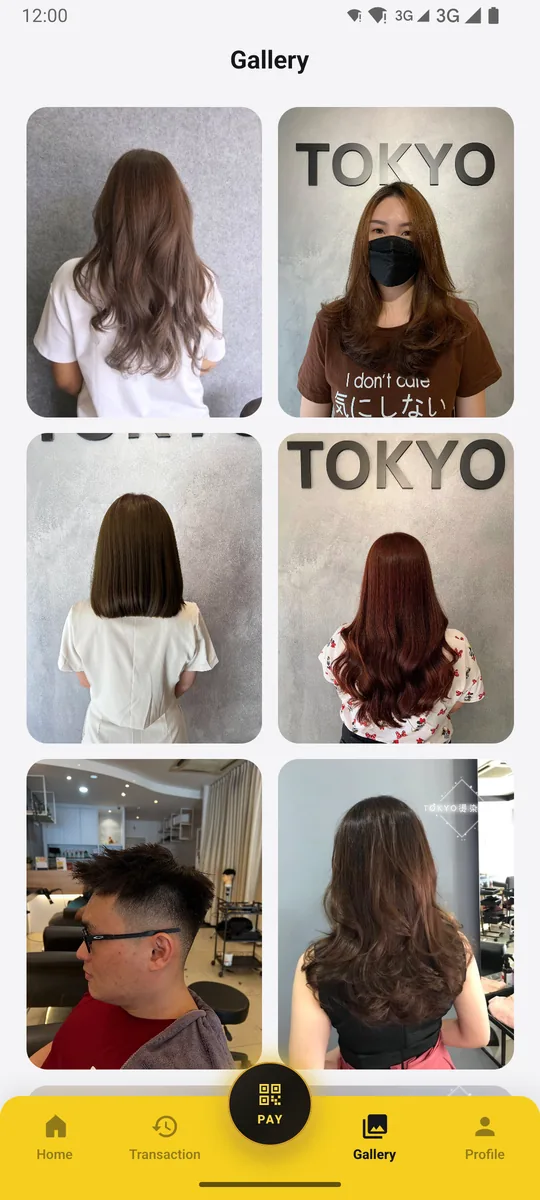
Gallery shows recent cuts and colours from the salon, uploaded from the portal and cropped to the shape the app shows them in.
Members update their profile, change their password, read the terms and contact the salon without calling the counter.
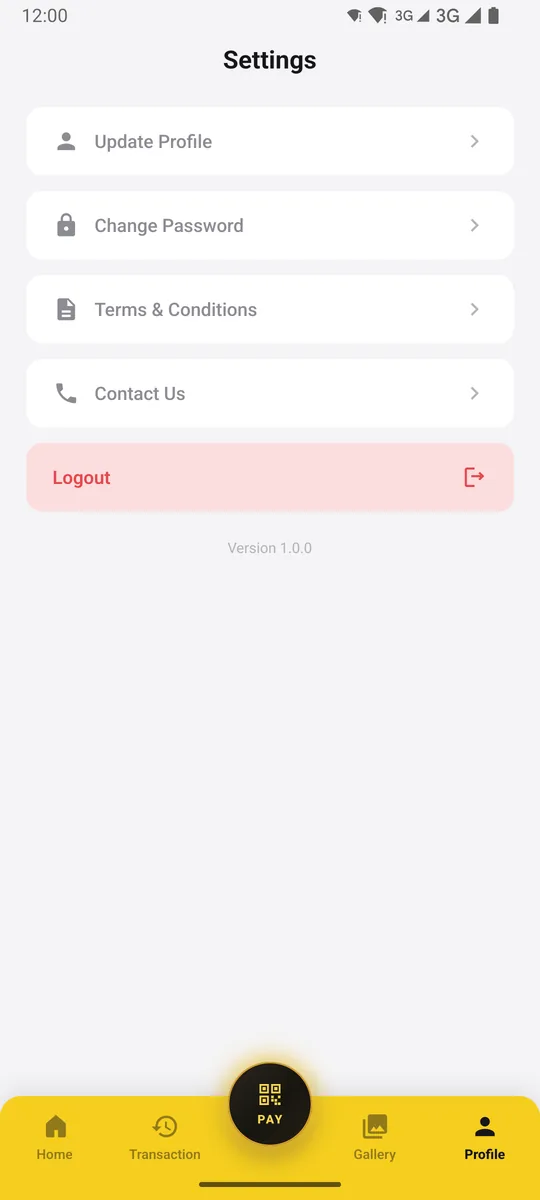 Balance + PAYScan to payBonus creditValid-until dateRecent workSelf-service
Tokyo's counter reads the app with a SUNMI Blink desk scanner, dressed in a black-and-red sticker kit Potadot designed to match the salon. Members hold their phone over the red window and the POS takes it from there.
SUNMI Blink desk scanner · Tokyo sticker kit designed by Potadot
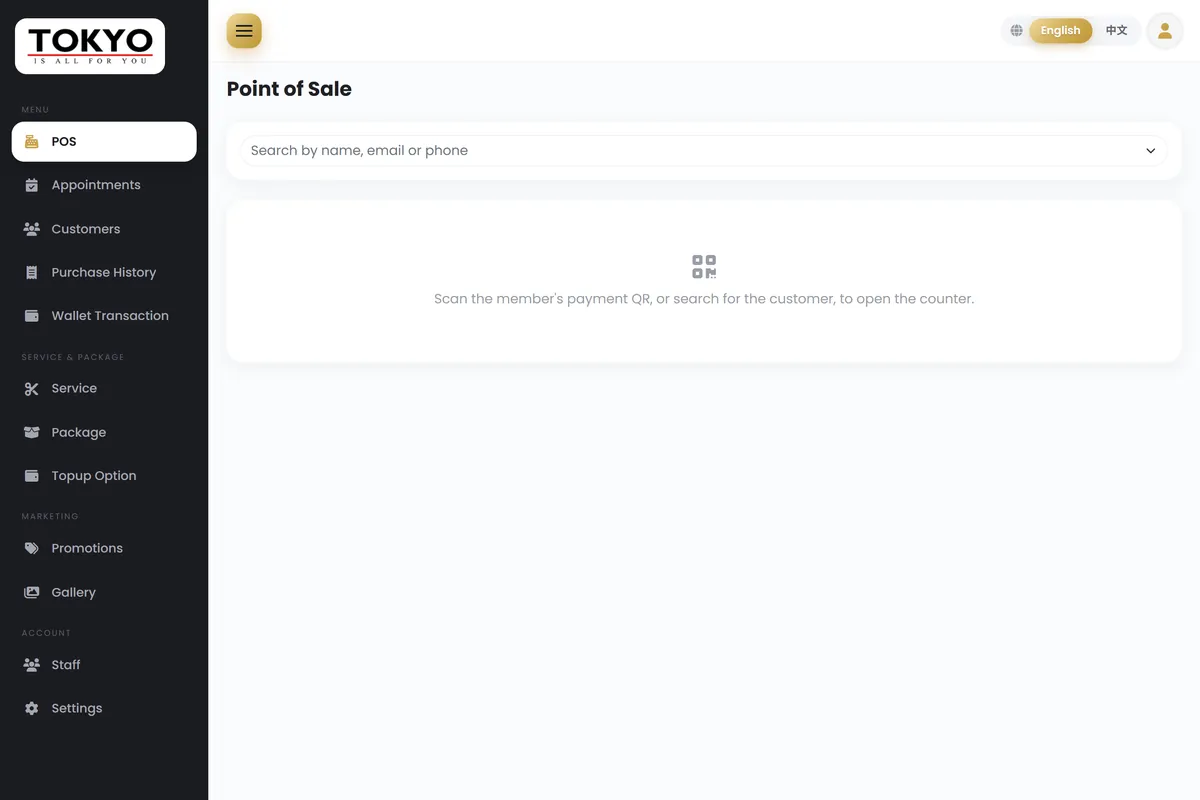
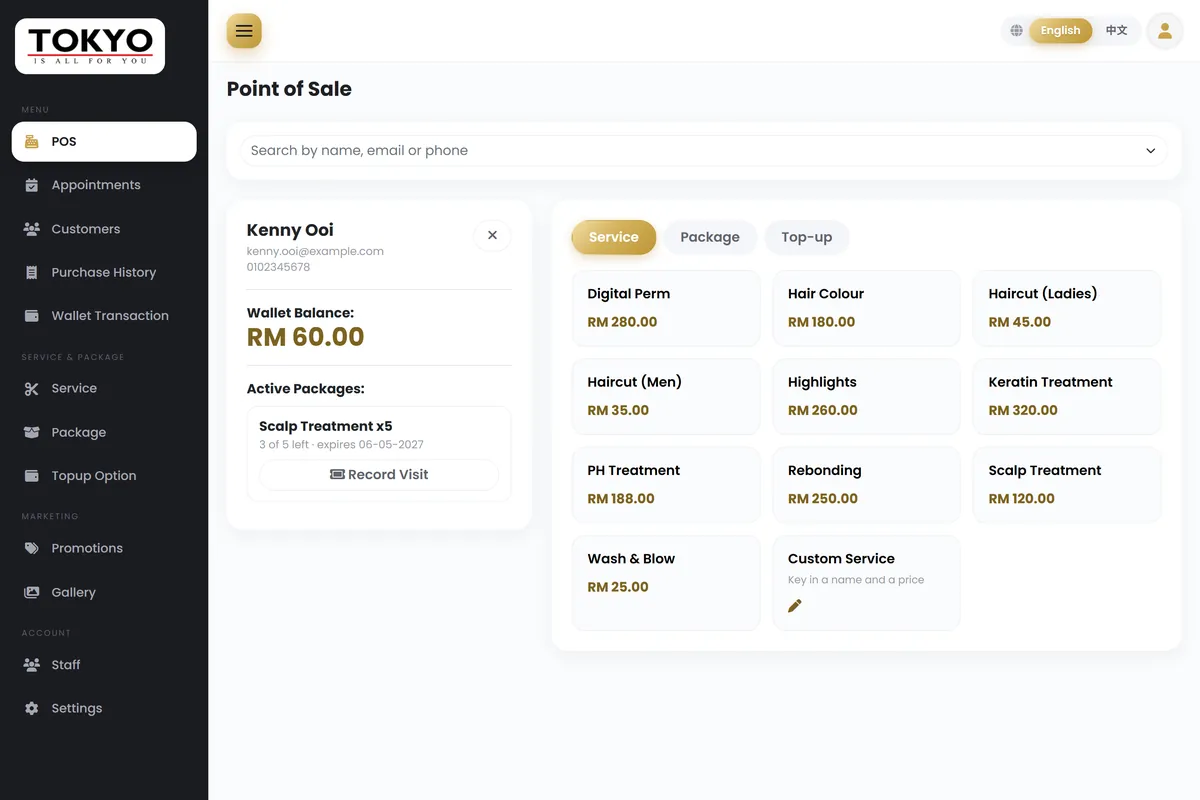
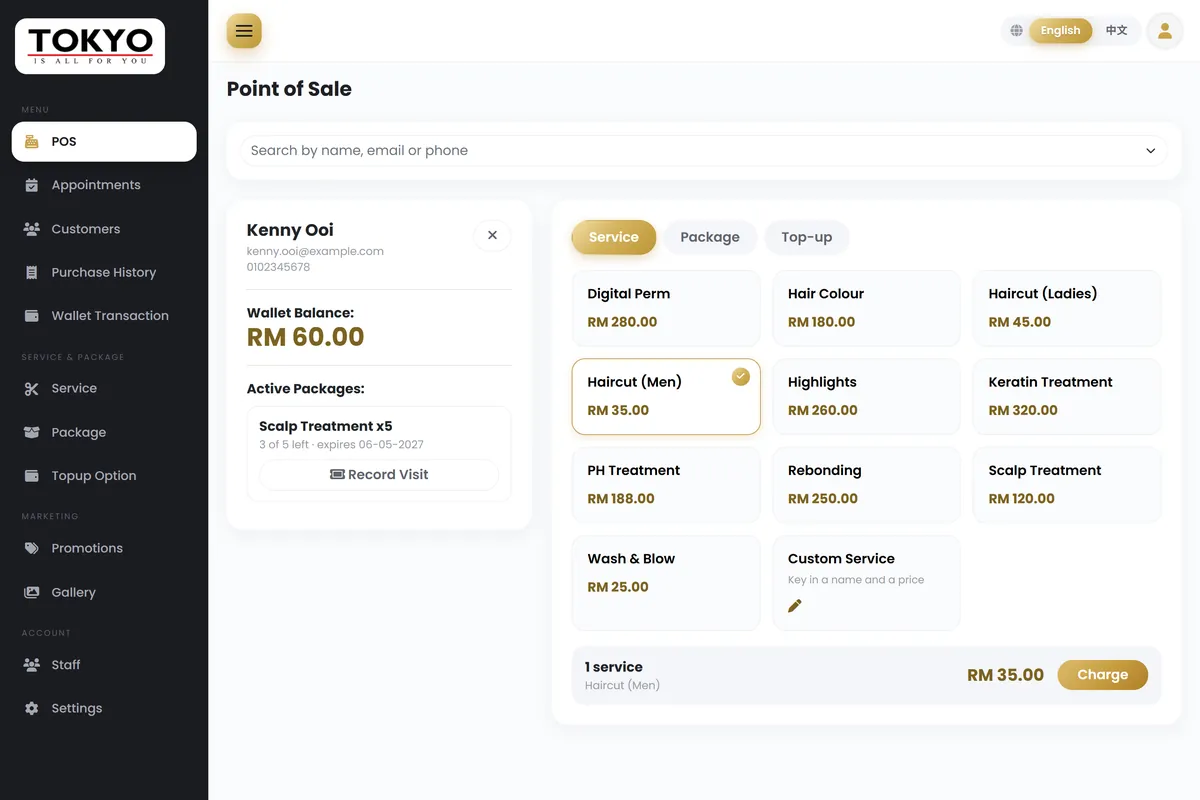
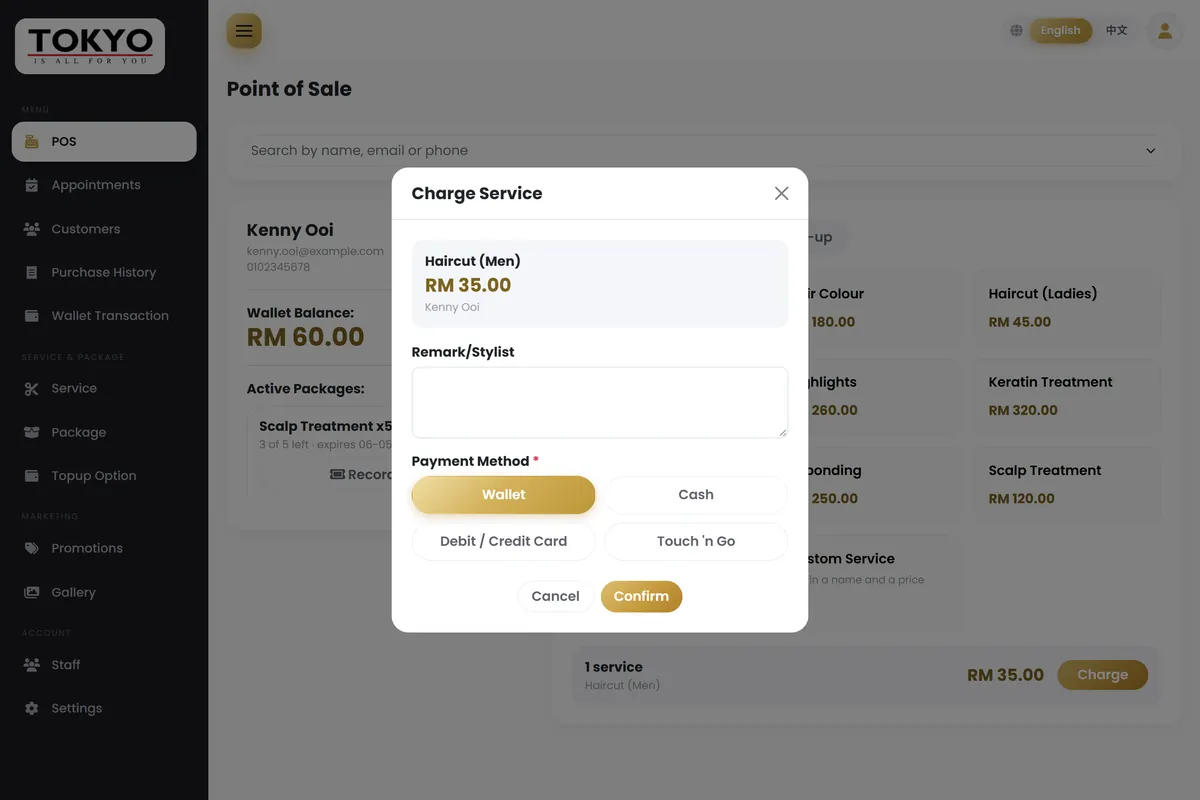
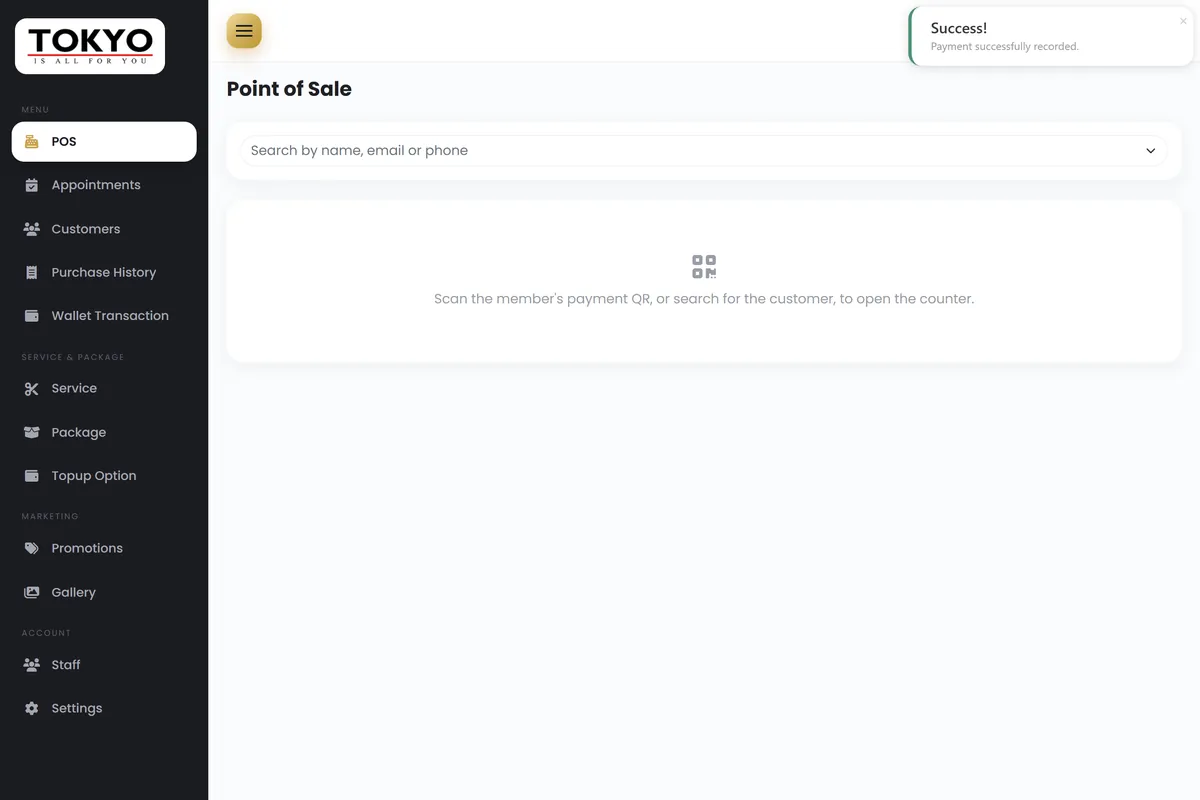
The same records, seen from the salon's side: scanning, charging, top-ups, packages and the appointment calendar.
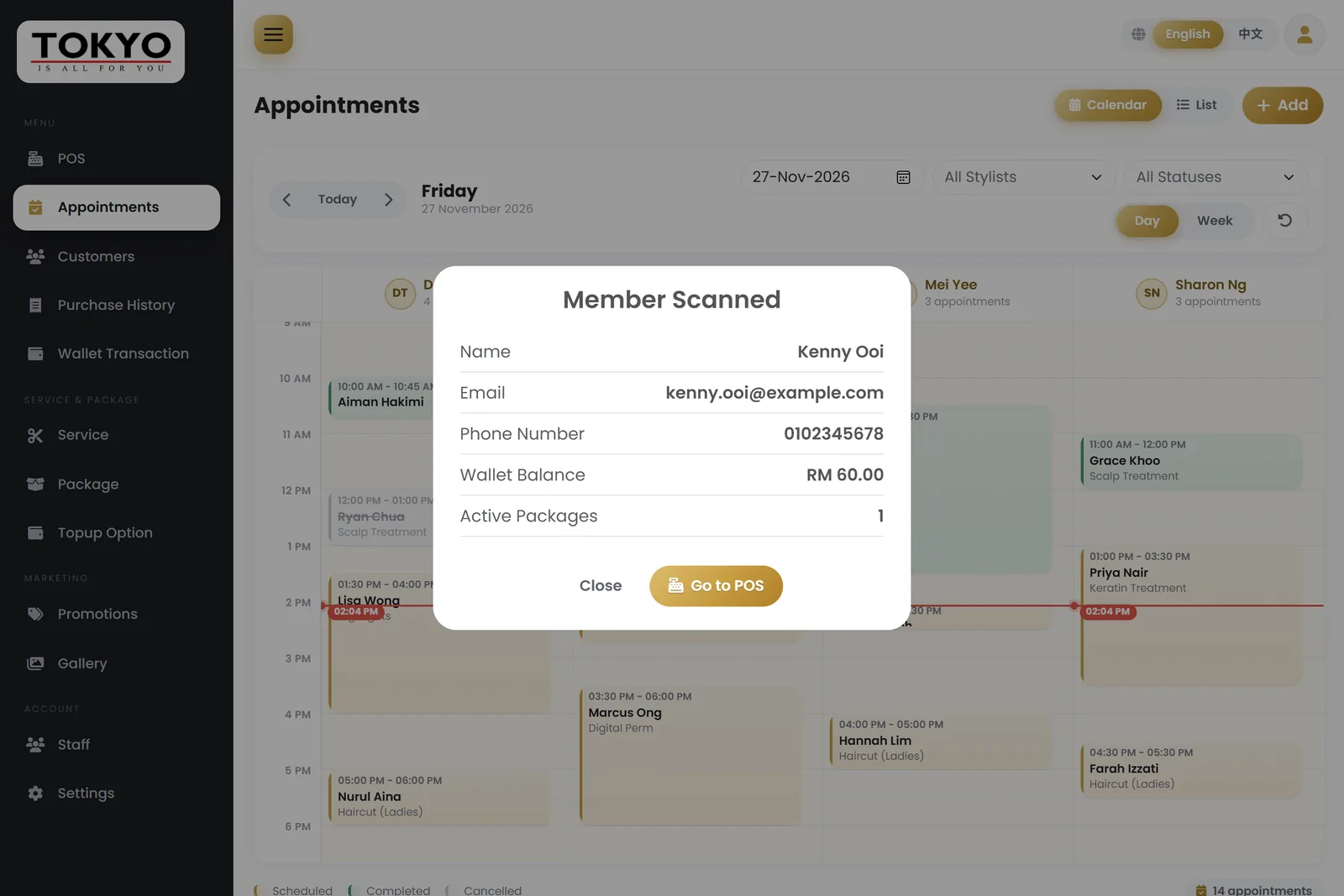
The counter's scanner reads the member's QR on any page of the portal, even mid-way through the calendar. A card pops up with their name, wallet balance and active packages, and one button opens them at the POS.
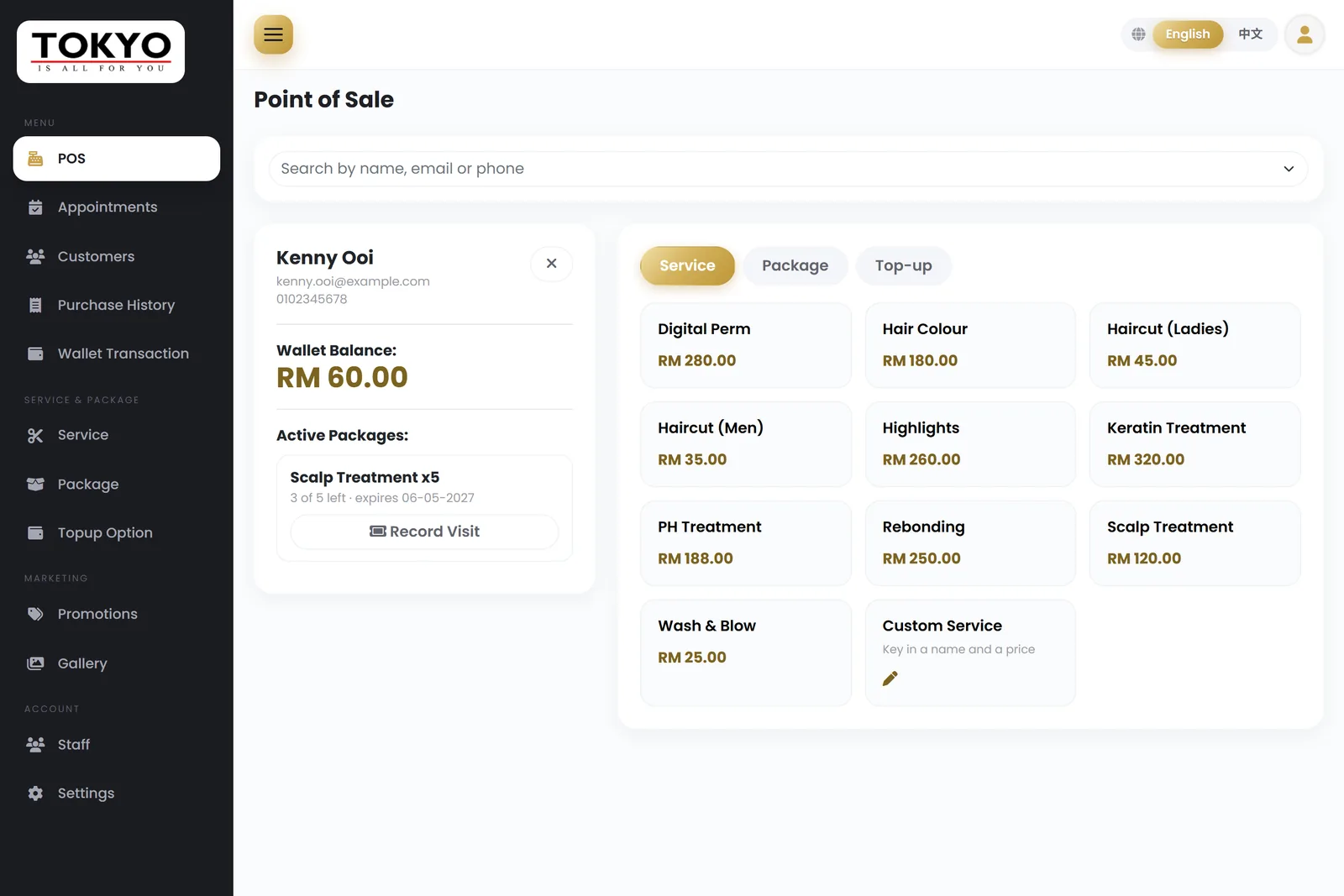
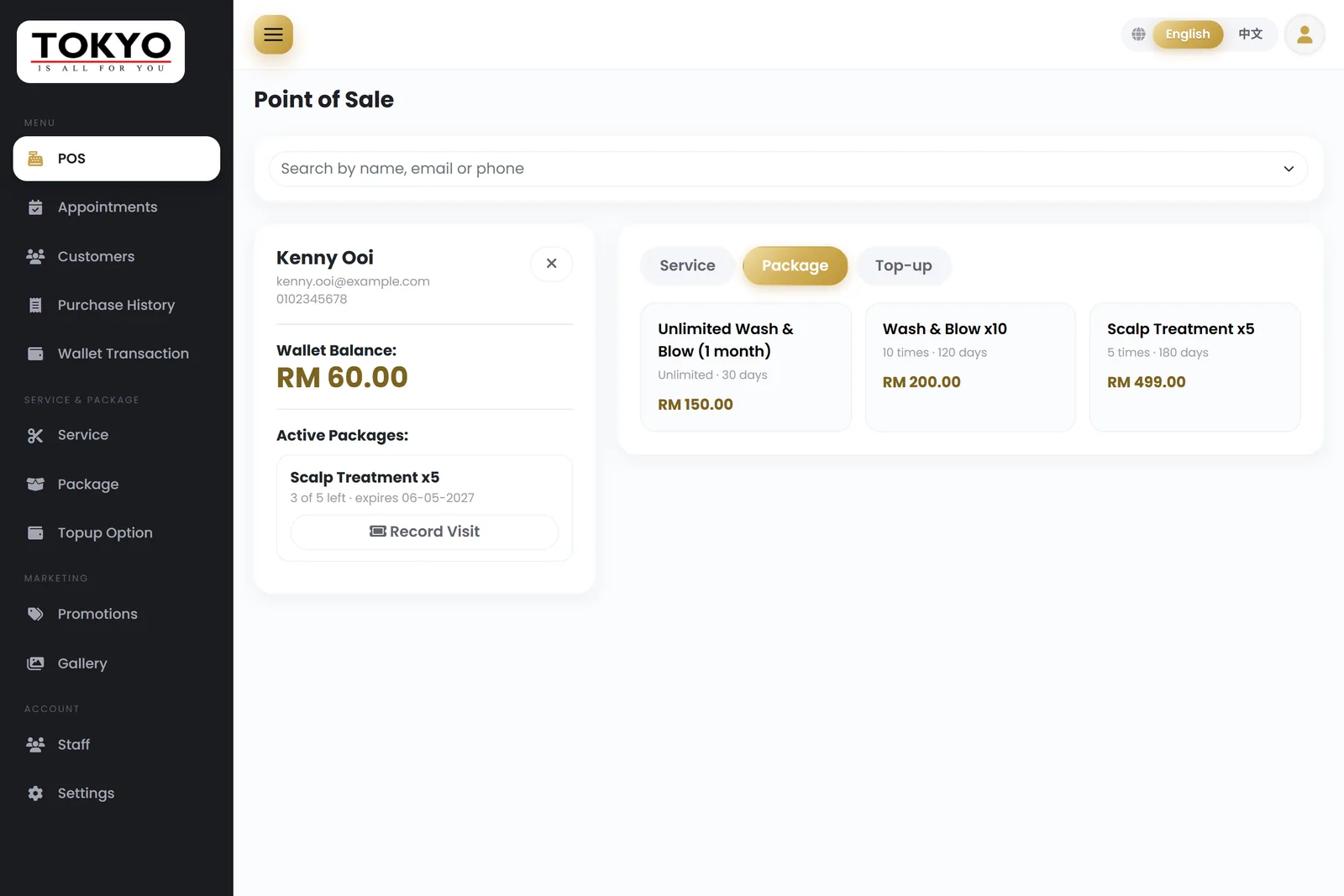
On the left, the member at the counter: wallet balance, active packages with visits left, and a Record Visit button. On the right, Service, Package and Top-up tabs with the salon's full menu and prices, plus Custom Service for anything off the menu. Picked services gather in a bar at the bottom with the total and a Charge button.
Pick the services, tap Charge, choose Wallet, Cash, Card or Touch 'n Go, and note the stylist. A wallet payment is refused if the balance cannot cover it.
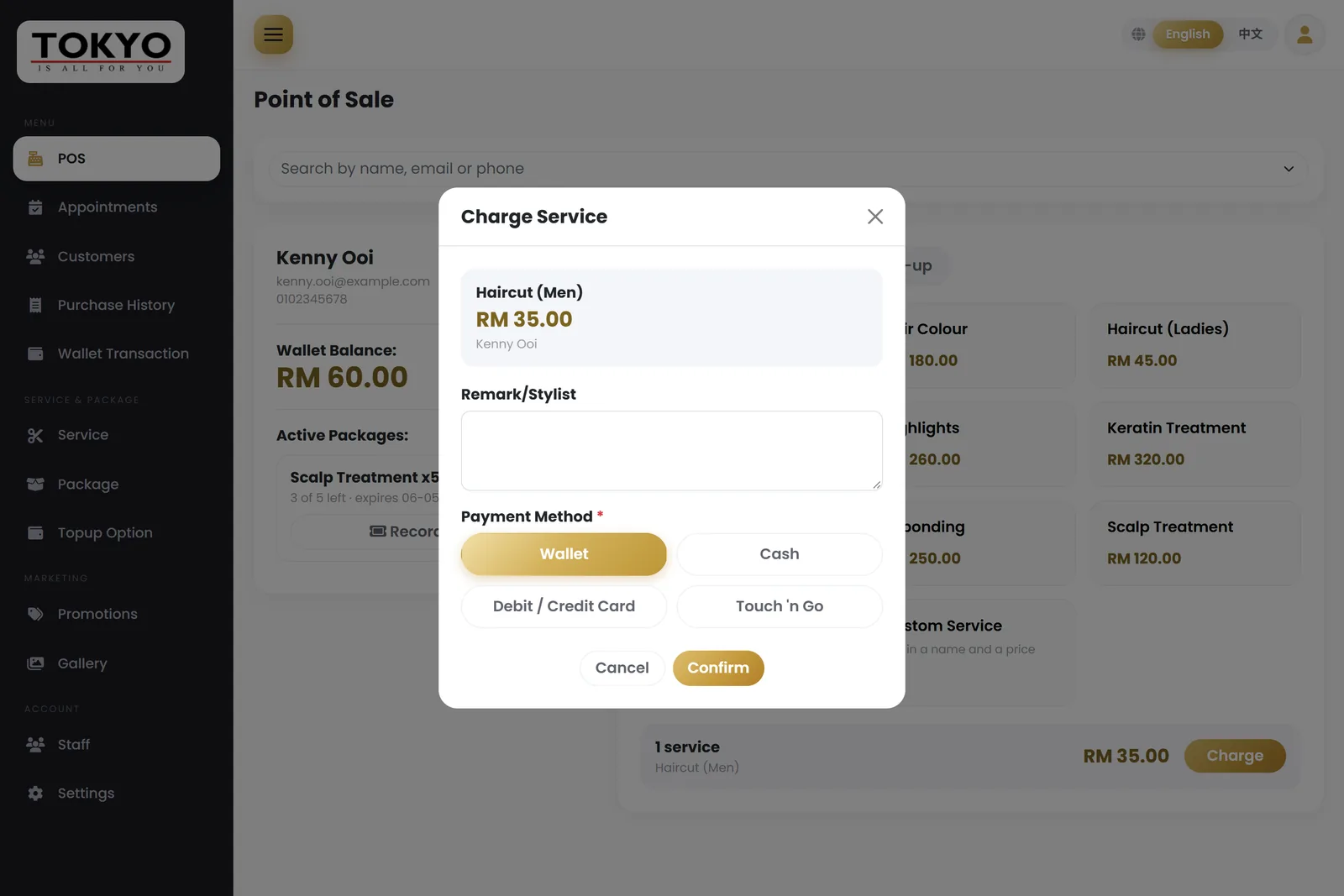
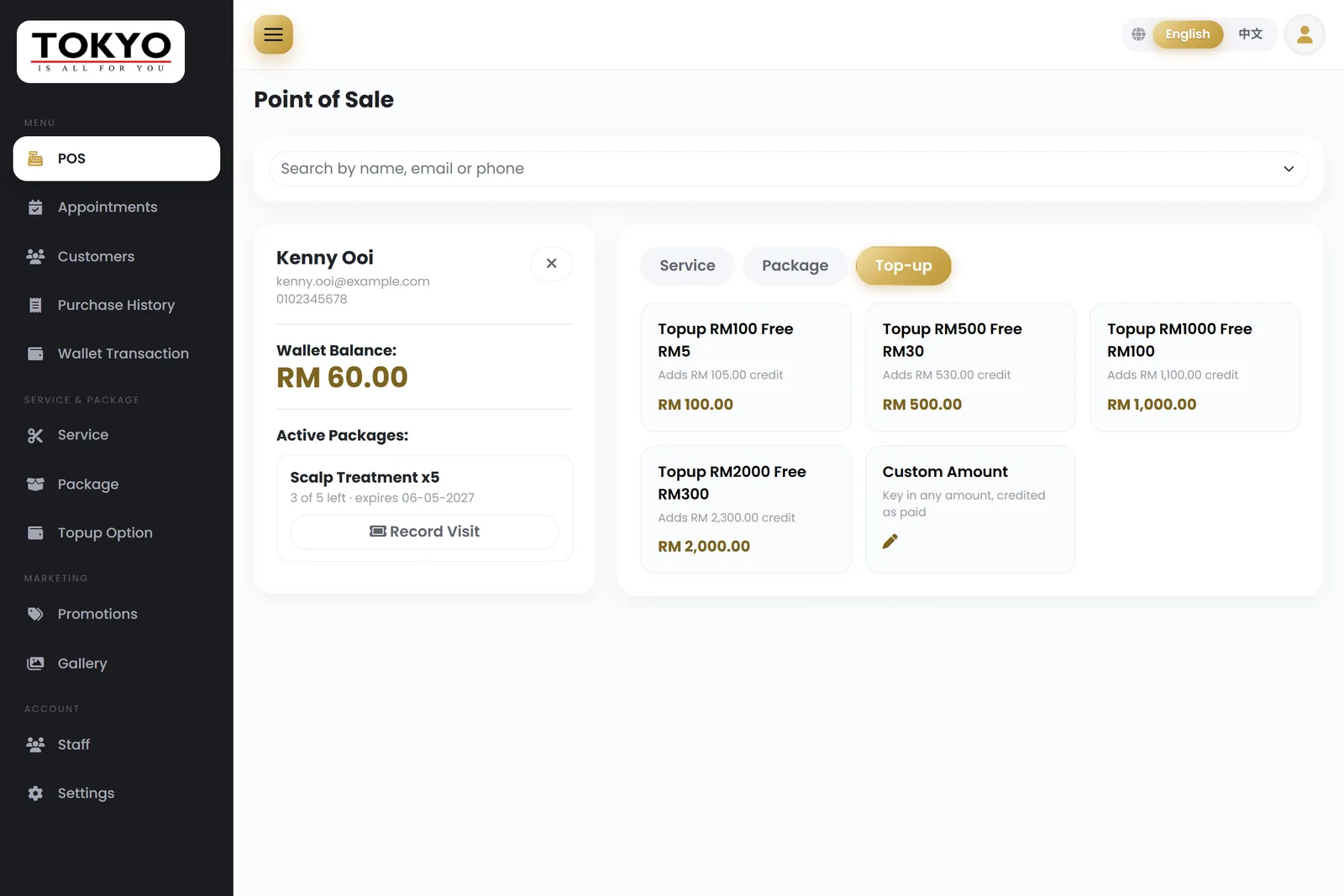
The Top-up tab loads credit with the same bonus options members see in the app, or any amount keyed in. The Package tab sells prepaid bundles, and Record Visit spends one visit from a package the member already holds.
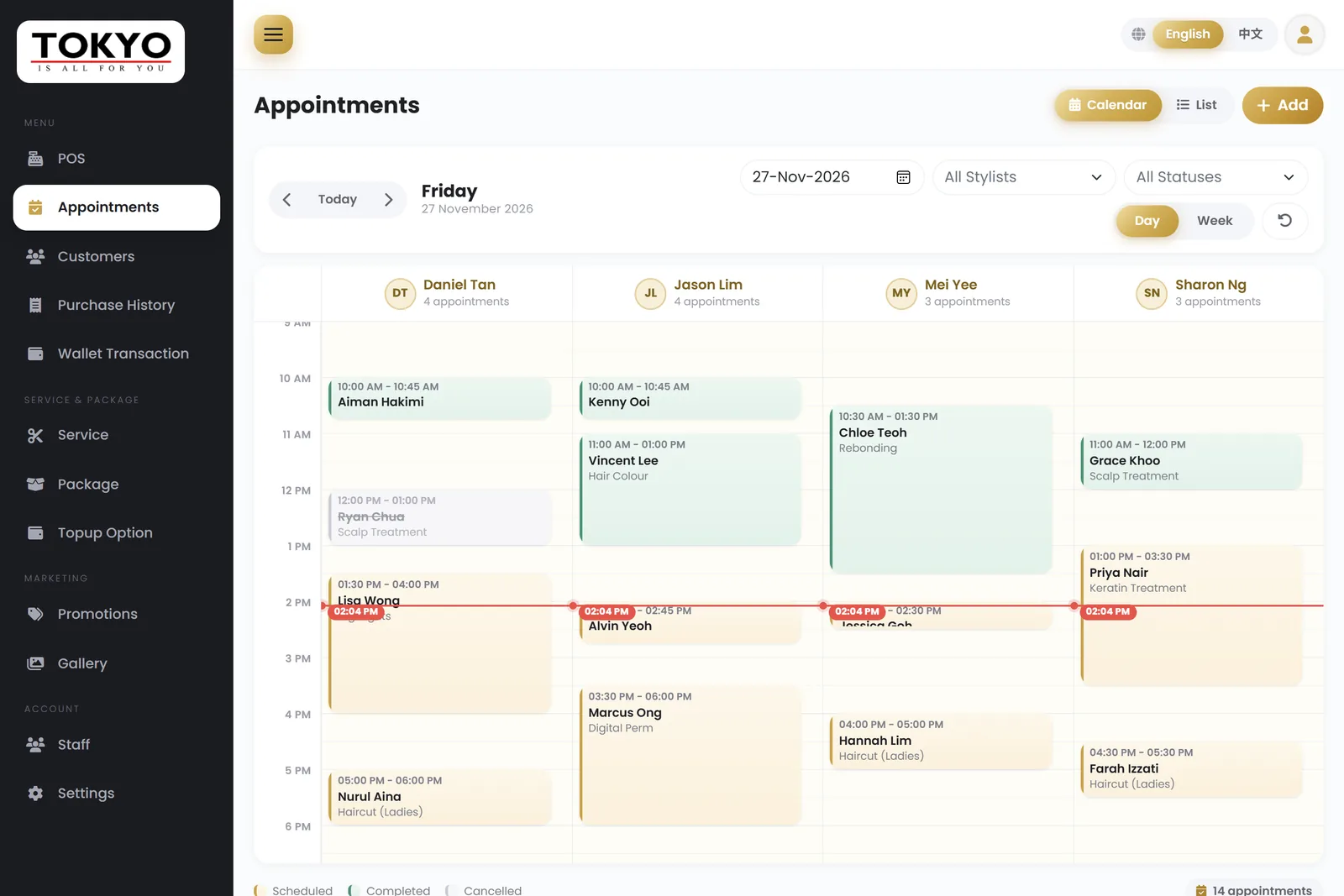
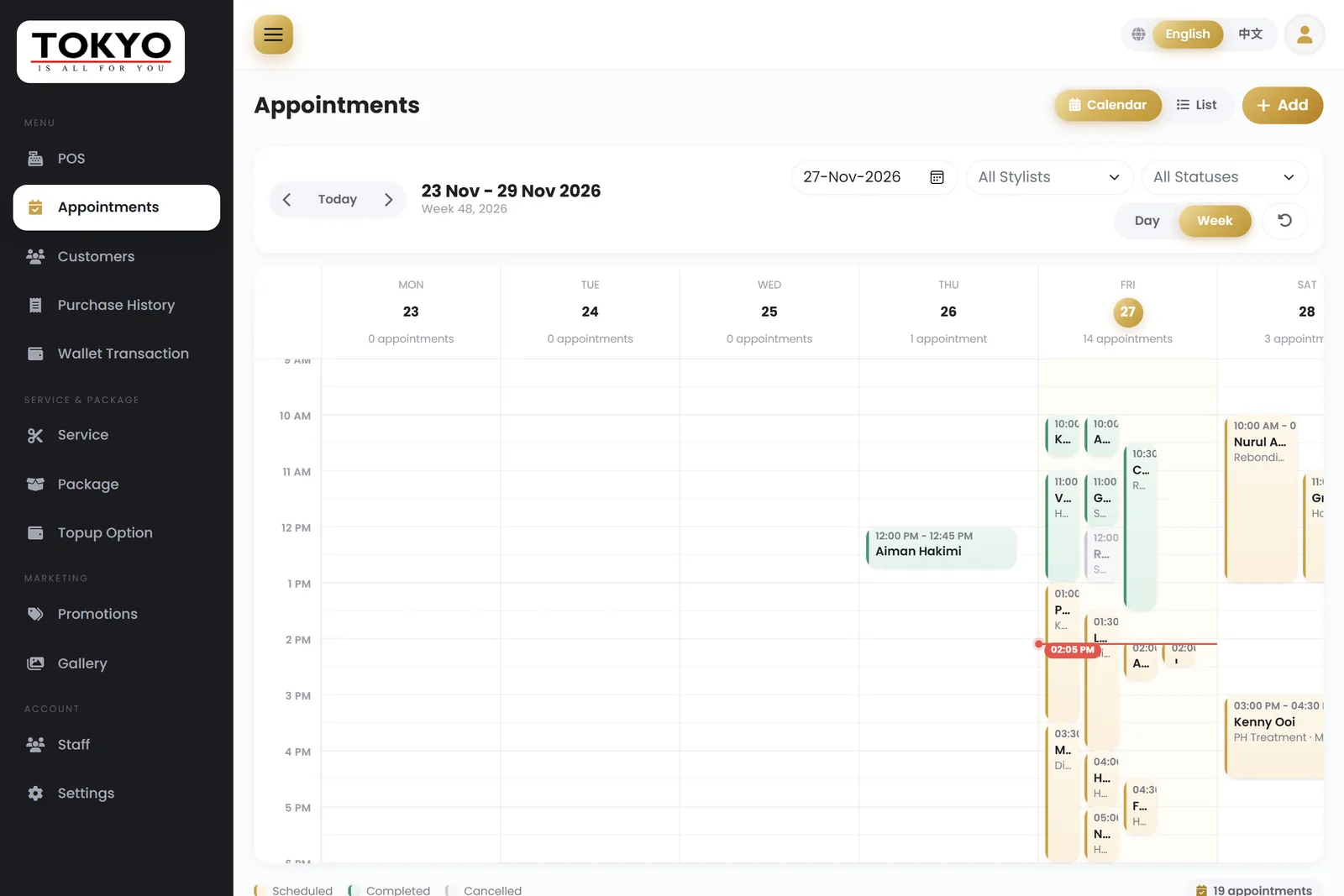
The appointment calendar gives each stylist a column for the day, with a line at the current time and colours for Scheduled, Completed and Cancelled. Week and list views plan ahead, and walk-ins are booked by name and phone without an account.
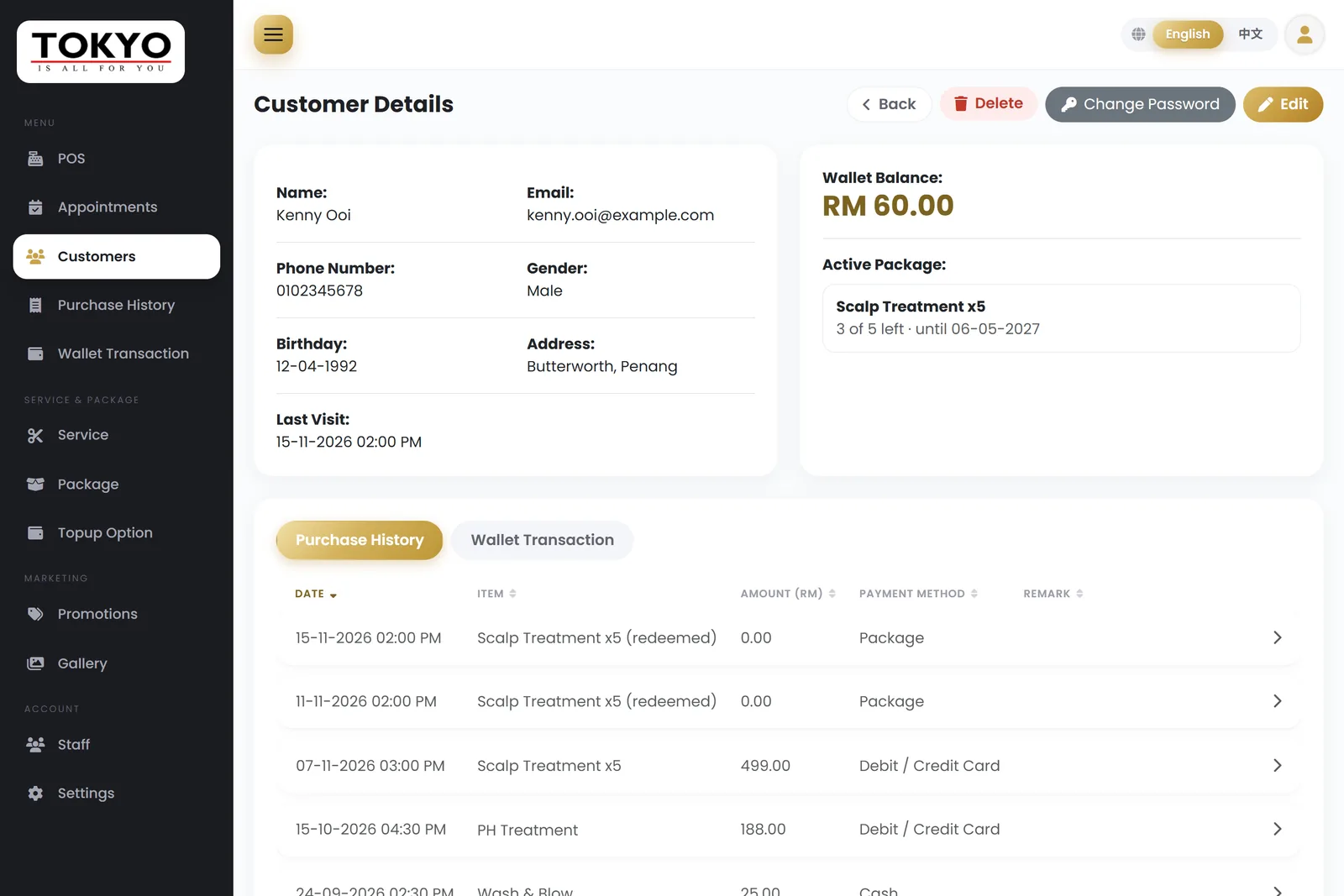
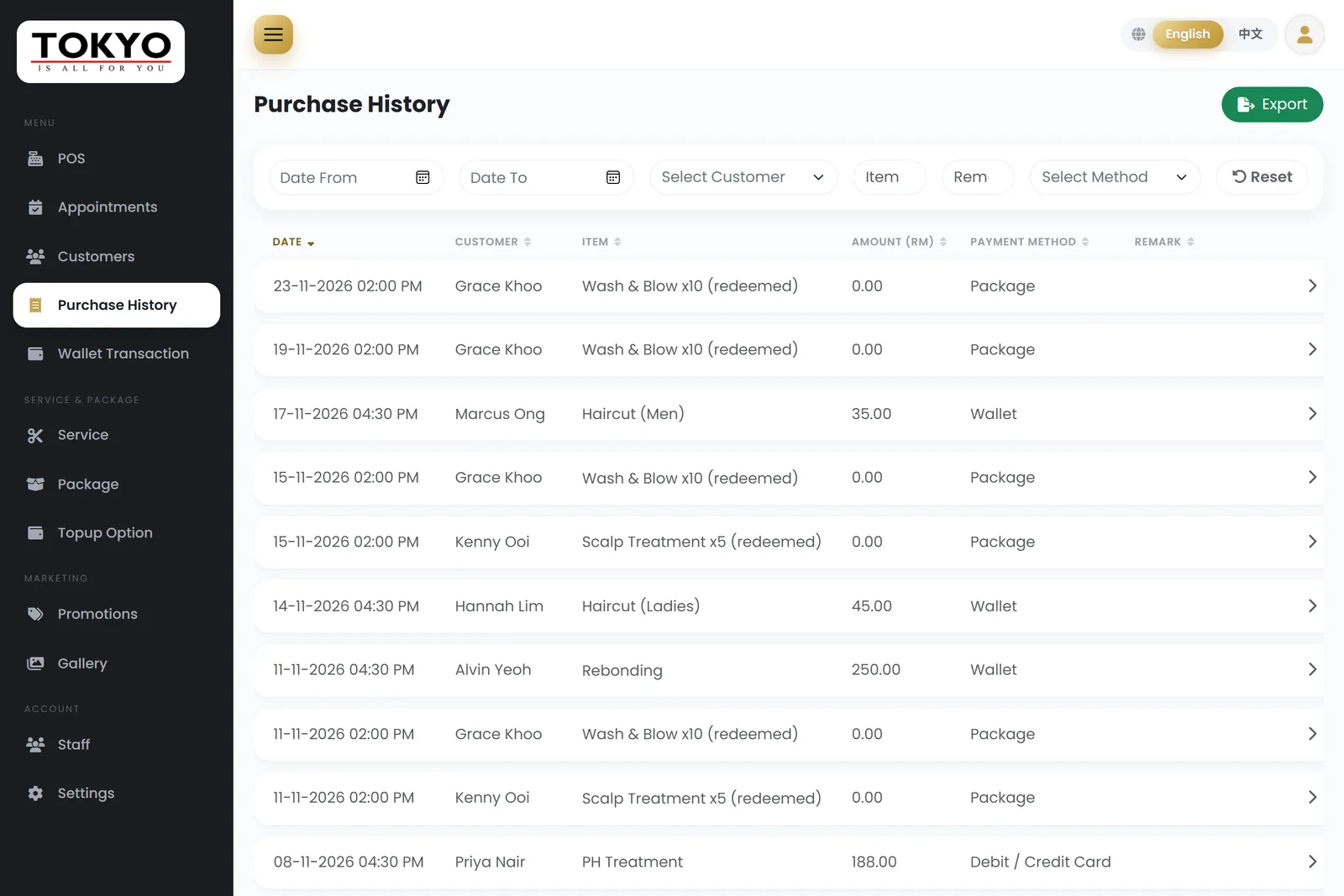
Each wallet movement keeps the balance before and after it. Purchase History holds every sale on any payment method, and exports a PDF report with top-up and sales totals for any date range.
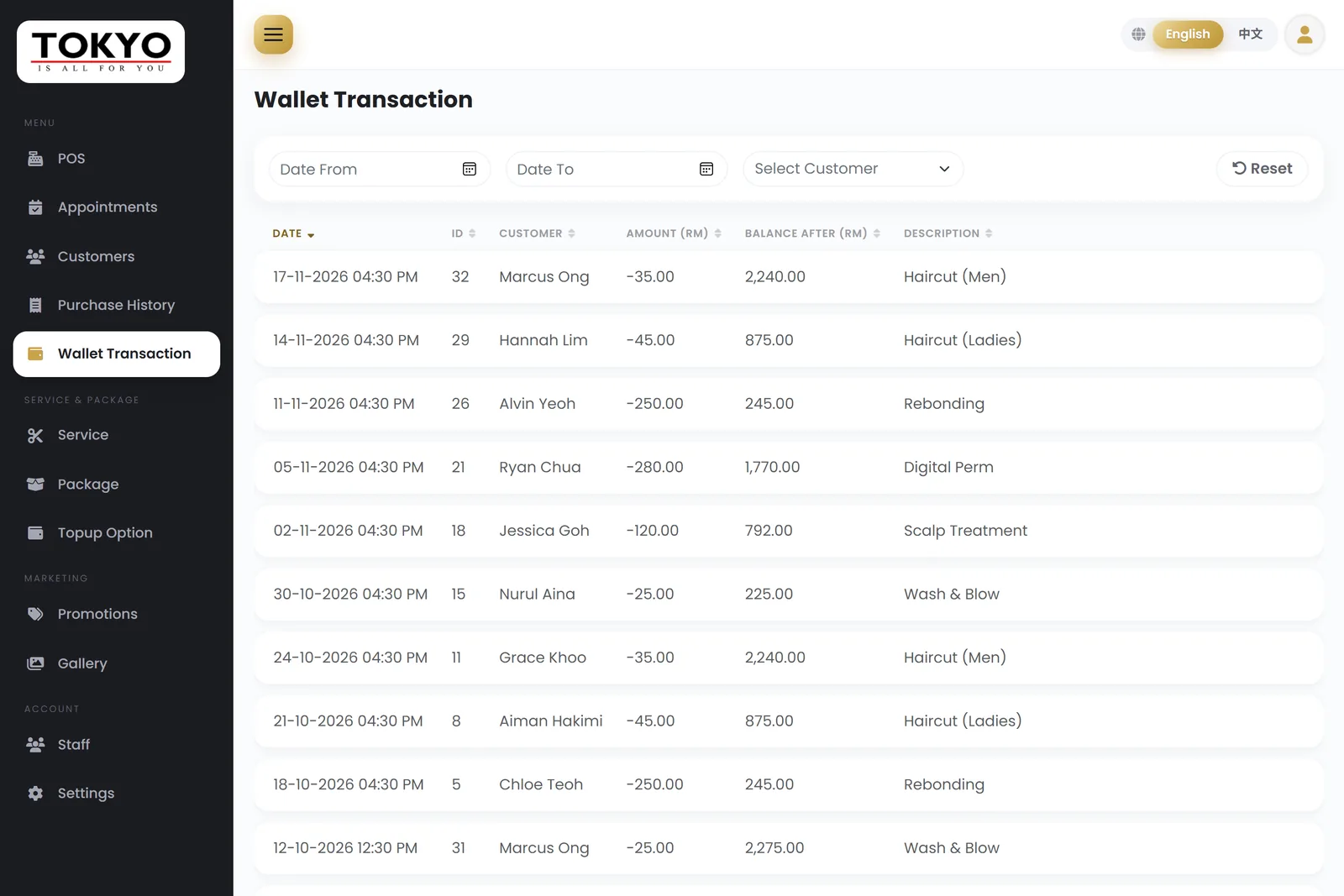 Member scannedMember at the counterChoose how to payBonus credit optionsOne column per stylistBalance after each line
The app and the portal share one set of records, so a top-up at the counter shows on the member's phone straight away.
A payment QR in the app, scanned at the counter from any page.
Services and custom items, paid by wallet, cash, card or Touch 'n Go.
Preset options with free credit, or any amount keyed in.
Limited or unlimited visits, a validity period, every visit recorded.
Day, week and list views by stylist, walk-ins included.
Every sale and credit movement, searchable, with a PDF report.
New promotions sent to every phone as a notification.
Each staff member picks the portal's language for themselves.
Pay by showing a QR code on their phone
The right member found with one scan, from any screen
See their balance and the top-up bonuses any time
Every wallet movement kept with its balance before and after
Hear about new promotions the moment they go live
Packages that track their own visits and expiry dates
Check every purchase they have made at the salon
Every stylist's day in one appointment calendar
Swipe or drag to scroll · tap a screen to enlarge
Every Potadot project starts by understanding the client's situation before anything is designed. See all seven steps
Mapped how the counter sells services, credit and packages, and how each stylist's diary is kept.
Took the black and gold of Tokyo's logo into both the app and the portal.
The member app and the salon portal, sharing one set of records, with working demos along the way.
Store release, staff training, and a version check that tells members when to update.
Have a similar situation? Tell Ricky how your business runs today on WhatsApp at +6011-1142 1029.
A member app and the admin portal behind it. The app holds the member card, wallet balance, payment QR, top-up options, promotions, the salon's gallery and the member's purchase history. The portal runs the counter: QR scanning, point of sale, top-ups, prepaid packages, appointments by stylist, customers, staff, and a record of every sale and every wallet movement.
The app shows a QR code that carries the member's wallet ID. The counter's scanner reads it on any page of the portal, the member's balance and packages come up, and staff charge the wallet, or take cash, card or Touch 'n Go, from the same screen. Every wallet payment is written to a ledger with the balance before and after.
Members message the salon from the app's Appointment button, which opens a WhatsApp chat. Staff keep every booking in the portal's calendar: one column per stylist, a set duration, a status of Scheduled, Completed or Cancelled, and walk-in customers booked by name and phone without an account.
Yes. We build member apps, prepaid wallets and counter systems for salons, spas, clinics and other walk-in businesses in Malaysia. We start by learning how you sell, top up and take bookings today, then design the app and the counter around that.