Why spreadsheets stop working
Excel is brilliant for one person working on one problem. Trouble starts when a spreadsheet quietly becomes the shared record for a whole team: sales updates one copy, the warehouse keeps another, and the boss gets a third by email on Friday.
At that point the file is doing a job it was never designed for. There is no single version of the truth, no record of who changed what, and no way for the file to tell the warehouse that sales just promised the last ten units to someone else.
The seven signs
1. The same data is typed in more than once
An order is written on a form, typed into the sales sheet, copied into the stock sheet and typed again into the invoice. Every copy is a chance to get it wrong, and every copy is paid staff time.
2. Nobody fully trusts the numbers
If your folder has files called stock_FINAL_v3.xlsx and stock_FINAL_v3 (copy).xlsx, you already know this one. When two reports disagree, someone has to walk to the warehouse to count.
3. Daily work lives in WhatsApp groups
Orders, approvals and delivery updates are sent as chat messages. They work until someone is on leave, a message gets buried, or you need to find what was agreed three weeks ago.
4. One person holds the file
There is a spreadsheet with formulas only one staff member understands. When that person is away, reports stop. When they resign, the knowledge leaves with them.
5. Month-end takes days
Reports are assembled by hand from several files, then checked, then corrected. By the time the numbers are ready, they describe a month that is already over.
6. Customers find your mistakes
Wrong quantity delivered, an invoice for an order that was cancelled, a booking promised twice. These are rarely carelessness. They are what happens when information has to be copied by hand between files.
7. You cannot see what is happening without asking
To know today's sales, stock on hand or which jobs are late, you have to message someone and wait. A business owner should be able to look, not ask.
Quick check: how many apply to you?
Tick the ones that sound like your business this month. Be honest; nobody is watching.
Tick what applies.Your result shows here.
Send my answers to our teamWhat to do next, without a big-bang project
The common fear is that "getting a system" means months of disruption and a team that refuses to use it. It does not have to. A calmer path looks like this:
- List the spreadsheets and chat groups your team relies on. Note who fills each one and who reads it.
- Pick the one that hurts most. Usually stock, orders or job tracking. That becomes phase one.
- Map how the information moves today, from the first form to the final report, including the shortcuts people actually take.
- Build the first module around that real flow, so the screens look familiar to the people who will use them.
- Run it with real cases, train the team, then add the next module. Each phase pays for itself before the next begins.
Keep your old spreadsheets. They are the best possible brief: every column is a field your business needs, and every colour code is a status the system should handle.
What the switch looks like in practice
A waste management company we work with, Alam Aliran Kualiti, ran on spreadsheets and handwritten process records. Receiving, processing, sales orders, delivery orders and inventory were tracked in separate places. We replaced them with one system where each load is recorded once and flows through every stage, with real-time tracking and reports.
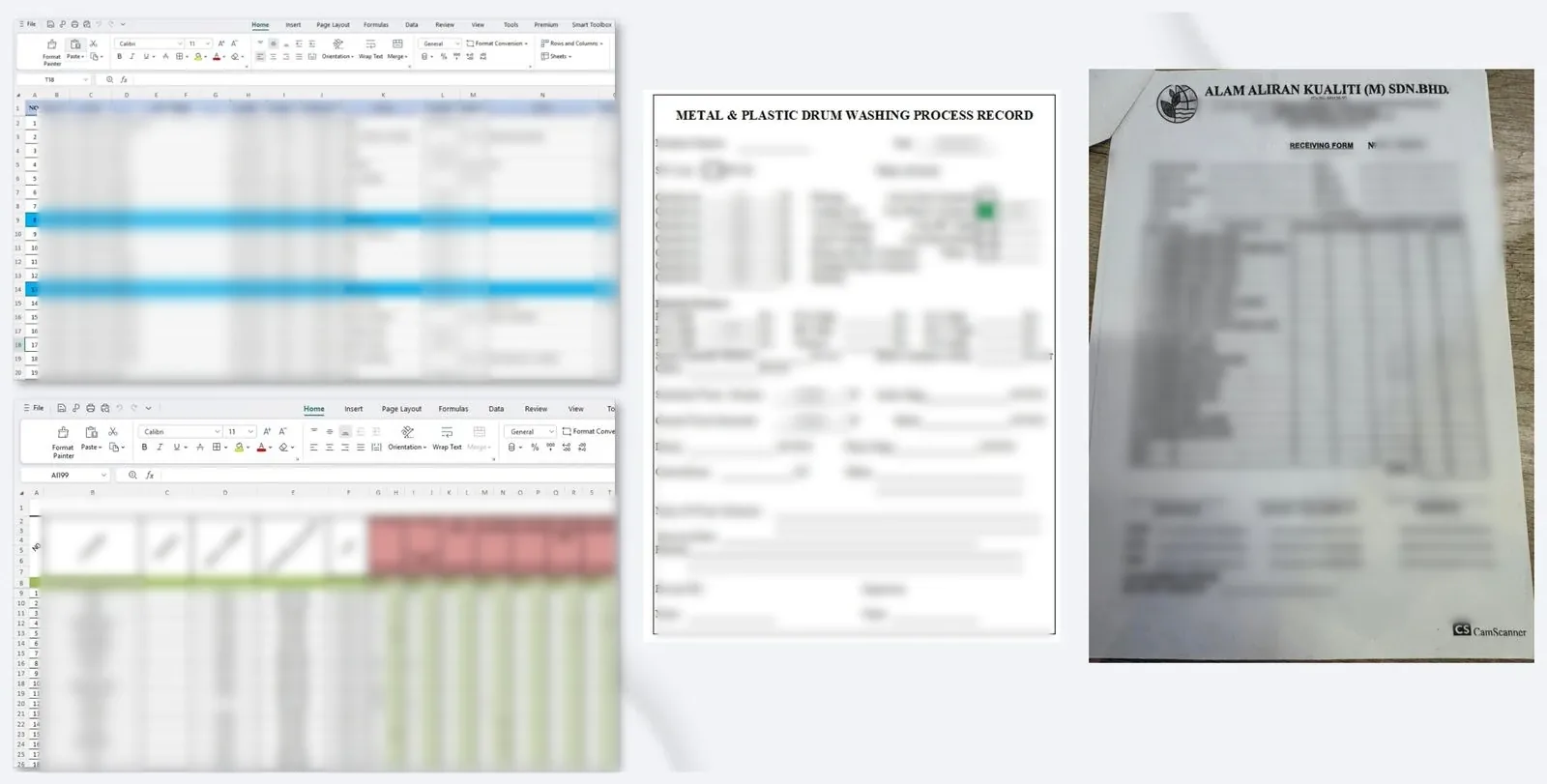
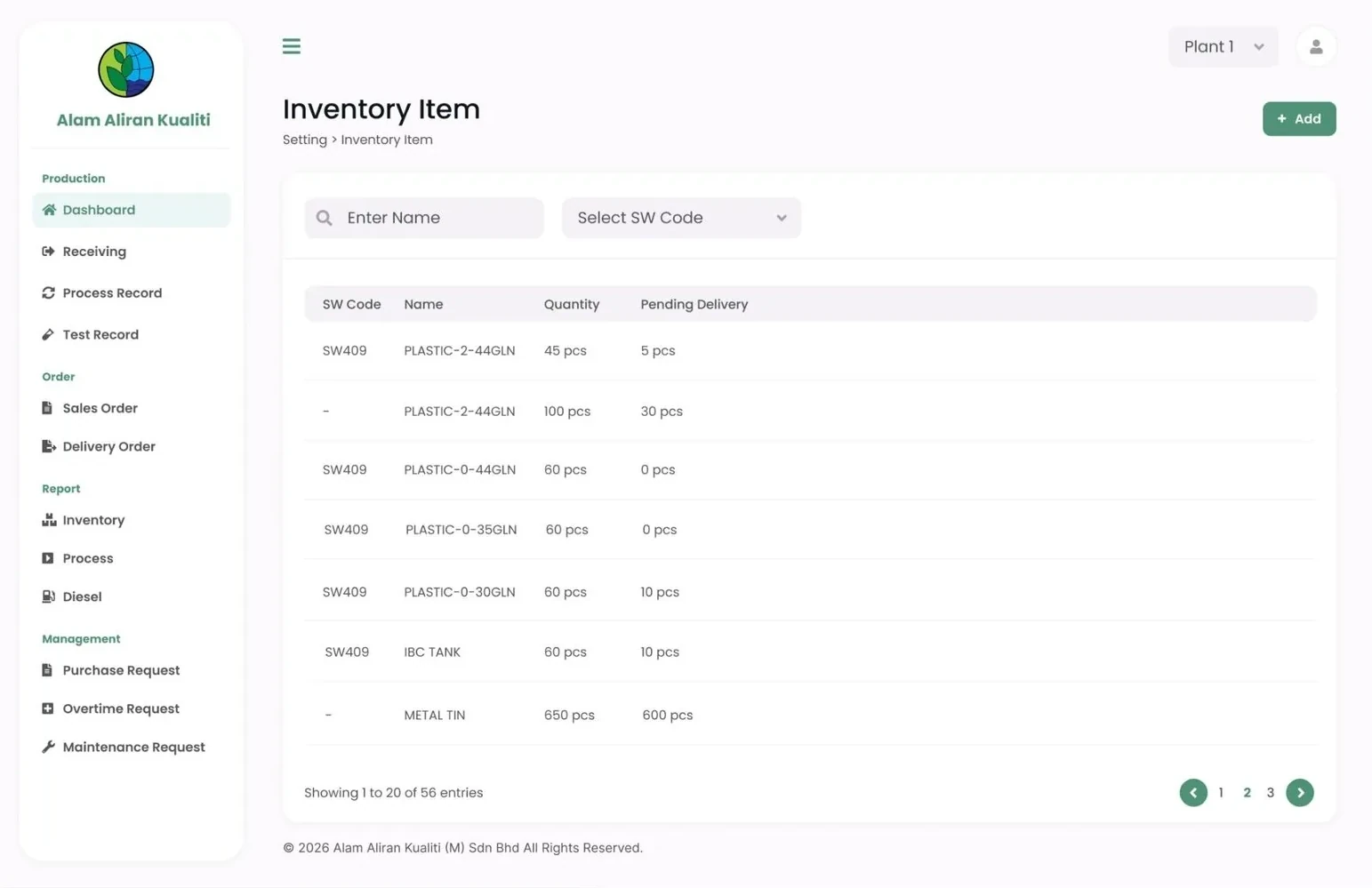
You can see the full before-and-after on our work page, or read our longer guide to custom ERP for Malaysian SMEs.
Frequently asked questions
Is it bad to run a business on Excel?
No. Excel is excellent for analysis and for small teams. It becomes a problem when several people depend on the same file as their shared record, because there is no single version, no audit trail and no automatic link between departments.
Can our existing Excel data be moved into a new system?
Usually yes. Data migration is planned as part of the project: we review how clean the data is, decide how much history to bring across, and import it before launch.
Will my team have to change how they work?
Less than you might think. A custom system is designed around your existing SOP and forms, so the screens follow steps your staff already know. The main change is that they enter information once instead of several times.
Run sales, stock, production and reports in one system built around your SOP.

Managing Director and Software Solution Architect at Potadot, a web and system solutions company in Butterworth, Penang that builds custom ERP systems, online platforms, mobile apps and websites for businesses across Malaysia.
About Potadot